
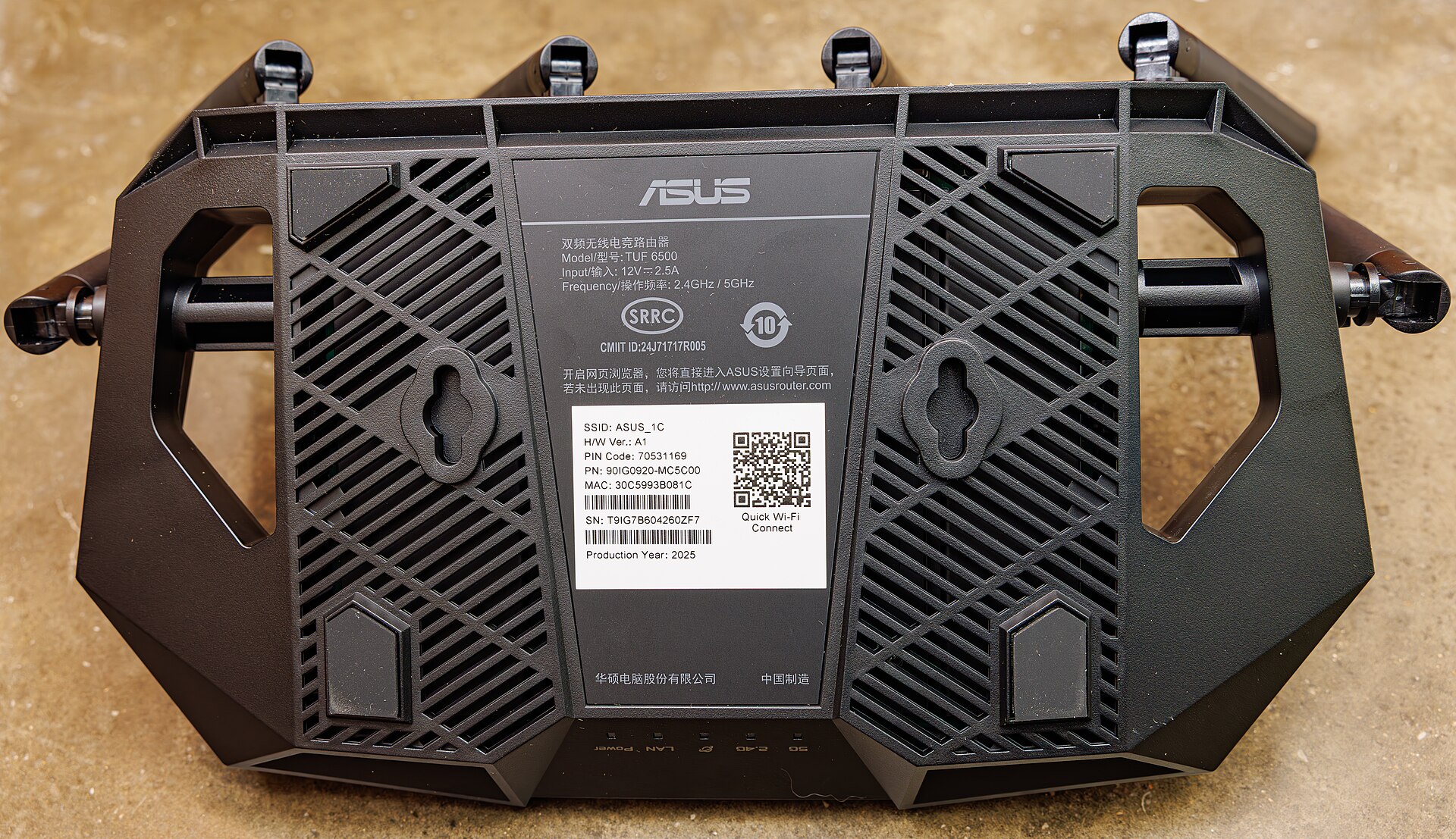
The 802.11be amendment that everyone calls Wi-Fi 7 was not actually finalised by the IEEE until 22 July 2025. The Wi-Fi Alliance had been certifying products against it since 8 January 2024, and routers built on draft silicon were on shelves in early 2023. By the time the standard was official, the industry had already moved on to arguing about its successor.
That gap between marketing and engineering is the useful frame for this whole topic. Wi-Fi 7 delivers real gains, but almost none of them are the ones on the box. The headline number, a theoretical 23 Gbps, is a laboratory ceiling nobody’s household will approach. The genuinely valuable features are less photogenic: wider channels where regulators allow them, and a scheduling change that lets a device use two bands at once.
Meanwhile 802.11bn, which will be marketed as Wi-Fi 8, is explicitly not trying to be faster. Its design target is reliability. Here is what each one actually does, whether your devices can use it, where the 6 GHz band stands in Canada and the US, and when an upgrade is worth the money.
What 802.11be actually added
Three changes matter. The rest is refinement.
320 MHz channels
Wi-Fi 6E capped channel width at 160 MHz. Wi-Fi 7 doubles that to 320 MHz, and because spectrum is bandwidth, doubling the channel roughly doubles the raw data rate. There is only one place to put a channel that wide: the 6 GHz band. Neither 2.4 GHz nor 5 GHz has the contiguous room.
Even in 6 GHz the supply is limited. Cisco Meraki’s technical guide counts three non-overlapping 320 MHz channels for low-power indoor use, but only one in the United States and two in Canada for standard-power outdoor deployment. In an apartment building where every unit runs a 320 MHz channel, you are all sharing the same three slots.
4096-QAM
Quadrature amplitude modulation encodes bits by varying the amplitude and phase of the carrier. Wi-Fi 6’s 1024-QAM packs 10 bits into each symbol. Wi-Fi 7’s 4096-QAM packs 12, which is roughly a 20% rate increase, as the Wi-Fi Alliance states in its certification announcement.
The catch is signal quality. Squeezing 4,096 distinguishable states into one symbol demands a very clean signal. Meraki puts the required signal-to-noise ratio at close to 42 dB, against about 31 dB for 1024-QAM. In practice that means you get 4K-QAM in the same room as the access point, with clear line of sight, and essentially never through a wall. It is a spec-sheet feature that rarely engages in a real home.
Multi-Link Operation
This is the one that matters. Traditionally a client associates with one band on one channel and stays there. MLO lets a device maintain links on multiple bands simultaneously, aggregating them for throughput or using the second link as instant failover when the first is congested.
There are several flavours, and the difference is not academic. True simultaneous transmit and receive (MLMR-STR) needs two full radio chains and gives the biggest gain. The variant actually shipping in most client devices is EMLSR, enhanced multi-link single radio, which keeps one radio chain and switches it between bands as transmission opportunities appear. EMLSR costs less power and less silicon, and delivers less throughput than the marketing implies. Latency and consistency improve regardless, which is the real benefit.
Wi-Fi 7 did not increase spatial streams. The maximum stays at eight, same as Wi-Fi 6; Meraki notes that a proposal for sixteen was rejected on practicality grounds.
Theoretical versus real speed
The 23 Gbps figure assumes eight spatial streams, a 320 MHz channel, 4096-QAM, and a signal so clean it effectively does not exist outside an anechoic chamber. No consumer client has eight streams. The iPhone 17 Pro, for example, lists Wi-Fi 7 with 2×2 MIMO, meaning two streams.
Halve for two streams instead of eight, halve again for a 160 MHz channel instead of 320, drop to a realistic modulation rate, subtract protocol overhead, and account for Wi-Fi being half-duplex, and a strong real-world figure for a phone on a good Wi-Fi 7 network is in the hundreds of megabits to low gigabits. That is still excellent. It is not 23 Gbps, and no amount of firmware will make it so.
The 6 GHz band, and where the rules stand
Everything good about Wi-Fi 7 depends on 6 GHz, so the regulatory picture matters.
Canada moved early and generously. In its May 2021 decision on licence-exempt use of the 6 GHz band, ISED opened the full 5925 to 7125 MHz, 1200 MHz of spectrum, in three device classes: standard-power operation under automated frequency coordination in 5925 to 6875 MHz at up to 36 dBm EIRP, low-power indoor-only across the whole band at up to 30 dBm, and very-low-power devices indoors or out at up to 14 dBm.
The US opened the same 1200 MHz in 2020, added very-low-power rules in 2023 and extended them to the upper sub-bands in December 2024. As of a January 2026 FCC fact sheet, the Commission adopted a new Geofenced Variable Power class for the U-NII-5 and U-NII-7 sub-bands, permitting up to 24 dBm EIRP and 11 dBm/MHz power spectral density, using geofencing rather than AFC to protect incumbent microwave links and radio astronomy. Extension to the remaining sub-bands was deferred.
Europe, by contrast, has only opened the lower 500 MHz, which is why 320 MHz channels are far more usable in North America than in the EU.
The range trade-off is smaller than you think
The common claim that 6 GHz has much worse range is half wrong. Free-space path loss does rise with frequency, but the gap is modest. Extreme Networks measured roughly 2 dB more attenuation at 6 GHz than 5 GHz over the first metre, and after that both bands lose the same 6 dB per doubling of distance.
What actually limits 6 GHz range indoors is the power ceiling on low-power indoor devices, plus the fact that higher frequencies are absorbed more readily by drywall, brick and glass. In a typical home, expect 6 GHz to cover a room and its immediate neighbours well and to fall away faster than 5 GHz beyond that. That is a coverage design problem, not a reason to avoid the band.
Can your devices actually use it?
Client support is the binding constraint, and it is patchier than router marketing suggests.
- Phones: iPhone 16 and 17 series (excluding the 16e and 17e), Galaxy S25 and S26 excluding FE models, recent Pixel flagships and current OnePlus flagships, per BGR’s 2026 compatibility roundup.
- Laptops: machines built on Intel Core Ultra Series 1 and 2, AMD Ryzen AI or 9000-series, or Snapdragon X parts.
- Everything else: smart TVs, streaming boxes, watches and smart-home gear are still overwhelmingly Wi-Fi 6, 6E, or older.
There is a specific asterisk on Apple hardware. Independent testing by wireless engineer Jiri Brejcha found that the iPhone 16 tops out at 160 MHz in the 6 GHz band even when connected to an access point broadcasting 320 MHz channels. Apple’s in-house N1 wireless chip in the iPhone 17 generation carries the same limitation. Those phones are genuinely Wi-Fi 7 devices, and they get MLO, but they do not get the wide-channel headline number.
Mesh systems and the backhaul problem
Mesh kits solve coverage, and they solve it by spending bandwidth. A wireless mesh node has to receive a frame and rebroadcast it, and because Wi-Fi is half-duplex, a node using a single band for both jobs loses roughly half its capacity. Each additional wireless hop compounds the loss.
Two mitigations exist. The first is a dedicated backhaul band, typically a second 5 GHz radio or the 6 GHz radio reserved for node-to-node traffic. The second, and much better, is running Ethernet between nodes. Wired backhaul gives full-duplex capacity with none of the halving, and networking reviewer Dong Ngo’s mesh primer is blunt that cable is the right answer wherever it is practical.
Wi-Fi 7’s MLO helps here, because a mesh node can carry backhaul on one link while serving clients on another with better coordination than before. It reduces the penalty. It does not eliminate it.
What Wi-Fi 8 is actually for
802.11bn is the first Wi-Fi generation whose headline goal is not speed. The task group’s name for its objective is Ultra High Reliability, and its published targets are a 25% throughput improvement at a given signal-to-noise ratio, a 25% reduction in 95th-percentile latency, and 25% fewer lost frames. Peak theoretical data rate stays where Wi-Fi 7 left it, at around 23 Gbps.
Read those targets again. They are about the bad moments, not the good ones. The 95th percentile is the stutter in a video call, the hitch in a cloud-gaming stream, the moment a wireless VR headset drops a frame. Fixing that is worth more to most people than another gigabit of peak throughput.
The main technical levers:
- Multi-AP coordination. Access points that share a network coordinate their transmissions, beamforming and spatial reuse instead of competing. This is the biggest structural change since MU-MIMO.
- Seamless roaming. A defined roaming domain cuts the handover gap when you walk between access points, which is currently one of the most visible failures in home mesh networks.
- Enhanced Long Range. A more robust low-rate mode aimed at devices at the edge of coverage, rebalancing the uplink and downlink.
- Distributed-tone resource units. Spreading a transmission across non-contiguous subcarriers to work around power spectral density limits, which particularly helps low-power 6 GHz clients.
- In-device coexistence. Formal mechanisms to stop Wi-Fi from interfering with Bluetooth, Thread and ultra-wideband radios sharing the same phone.
When is it coming?
Not soon, as a standard. According to Ofinno’s January 2026 standards readout, the group approved Draft 1.3 at its January 2026 interim meeting and resolved around 740 comments from letter ballot. Draft 2.0 was targeted for May 2026, Draft 3.0 for January 2027, sponsor ballot during 2027, and final ratification in May 2028. Discussions about a Wi-Fi 9 study group began at the same January 2026 meetings.
Silicon arrives well ahead of ratification, as it always does. Qualcomm announced a Wi-Fi 8 portfolio at MWC in March 2026, including the FastConnect 8800 with a 4×4 mobile radio rated up to 11.6 Gbps and claimed triple the gigabit-speed range, plus Dragonwing networking platforms claiming up to 40% more throughput and 2.5 times lower latency during congestion, as Android Central reported. Parts were sampling with commercial products expected in late 2026.
Those are vendor claims against draft silicon and a draft standard. Treat first-generation Wi-Fi 8 gear the way first-generation Wi-Fi 7 gear deserved to be treated: interesting, expensive, and likely to be outperformed by the second generation.
What this means for you
Honest guidance, in rough order of value per dollar:
- If you have Wi-Fi 6 or 6E and no complaints, skip Wi-Fi 7. Your internet connection is almost certainly the bottleneck, not your router. Wi-Fi 7 helps when you have multi-gigabit service or move large files between local machines.
- If you are still on Wi-Fi 5 (802.11ac) or older, upgrade now. The gain from Wi-Fi 5 to any modern standard is large and immediate, especially with many devices on the network. Buying Wi-Fi 7 rather than Wi-Fi 6E costs little extra at this point.
- Buy tri-band, not dual-band. A “Wi-Fi 7” router without a 6 GHz radio gives up almost everything that makes Wi-Fi 7 worthwhile. Check the band list, not the badge.
- Fix coverage before buying speed. A cheaper router placed centrally and high, or a wired second access point, beats an expensive router in a basement cupboard every time.
- Do not wait for Wi-Fi 8. Ratification is scheduled for 2028, broad client support will lag, and the improvements are incremental for a typical home. If your network is bad today, fix it today.
- Run Ethernet where you can. One cable to a second access point does more for a house than any upgrade in the catalogue.
Frequently asked questions
Do I need a Wi-Fi 7 router to use a Wi-Fi 7 phone?
Yes, for the new features. Wi-Fi is backward compatible, so the phone will connect to any router, but MLO, 320 MHz channels and 4K-QAM all require both ends to support them.
Is 6 GHz worth it if my house is large?
It is worth having, but do not plan coverage around it. Use 6 GHz for devices near the access point that need throughput, and let 5 GHz handle the far rooms. A mesh or a second wired access point is the real answer for a large house.
Will Wi-Fi 7 make my internet faster?
Only if your Wi-Fi was slower than your internet connection. If you pay for 500 Mbps and your old router delivers 300 Mbps to the far bedroom, Wi-Fi 7 helps. If you pay for 500 Mbps and already get it, nothing changes.
Should I turn off 2.4 GHz?
No. Many smart-home devices only speak 2.4 GHz, and it still covers the greatest distance. Keep it enabled, and if your router lets you, give it a separate network name so older gadgets pair reliably.
What is the difference between Wi-Fi 6E and Wi-Fi 7 on 6 GHz?
Wi-Fi 6E was Wi-Fi 6 with access to the 6 GHz band and 160 MHz channels. Wi-Fi 7 adds 320 MHz channels, 4096-QAM and Multi-Link Operation on top. For a single device in a quiet environment, the practical difference is often small.
How to decide, in one paragraph
Wi-Fi 7 is a good standard whose best feature, Multi-Link Operation, is about consistency rather than peak speed, and whose headline feature, 320 MHz channels, depends on 6 GHz spectrum that Canada and the US have made unusually generous. Wi-Fi 8 is a reliability release scheduled to be ratified in 2028, with chips shipping years ahead of it. Neither is a reason to replace working equipment. If you buy a router in the next year, buy a tri-band Wi-Fi 7 unit because the price premium is now small, place it well, and spend the leftover money on Ethernet cable.
Sources
- Wi-Fi Alliance — Wi-Fi Alliance introduces Wi-Fi CERTIFIED 7
- Cisco Meraki Documentation — Wi-Fi 7 (802.11be) Technical Guide
- Wikipedia — Wi-Fi 7
- Wikipedia — IEEE 802.11bn
- ISED Canada — Decision on the Technical and Policy Framework for Licence-Exempt Use in the 6 GHz Band
- FCC — Fact Sheet: Unlicensed Use of the 6 GHz Band (January 2026)
- Extreme Networks — How Far Will Wi-Fi 6E Travel in 6 GHz?
- Jiri Brejcha — Does iPhone 16 support 320 MHz channel width in the 6 GHz Wi-Fi band?
- Apple — iPhone 17 Pro and 17 Pro Max Technical Specifications
- BGR — Which Devices Are Compatible With Wi-Fi 7 In 2026?
- Ofinno — Wi-Fi 8 Advances, mmWave Hits a Split, Wi-Fi 9 Begins
- Android Central — Qualcomm’s Wi-Fi 8 chips are here
- Dong Knows Tech — Mesh Wi-Fi System 101
Image credit: Photo: Dinkun Chen — CC BY-SA 4.0 (via Wikimedia Commons)
